
You found a reel you want to keep, a story that will vanish in a few hours, or a profile picture you need a closer look at. So you search for an Instagram saver, paste a link, and hope for the best. Most guides stop there. This one does not.
Below, you will find how an Instagram saver actually works, how to download every content type Instagram offers, why some downloads come out blurry, and how to fix the problems other guides never mention. If a download has ever failed on you for no obvious reason, this article explains why.
What Is an Instagram Saver?
An Instagram saver is a tool, usually a website or app, that lets you download public Instagram content, photos, videos, reels, stories, highlights, and profile pictures, directly to your device. Instagram itself only offers a “Save” button, and that just bookmarks a post inside the app. It does not give you an actual file you can keep, edit, or use offline.
A good Instagram saver closes that gap. You paste a link or enter a username, the tool locates the media file Instagram already serves to your browser, and it hands you a clean download instead of a bookmark you can only see inside the app.
How an Instagram Saver Actually Works
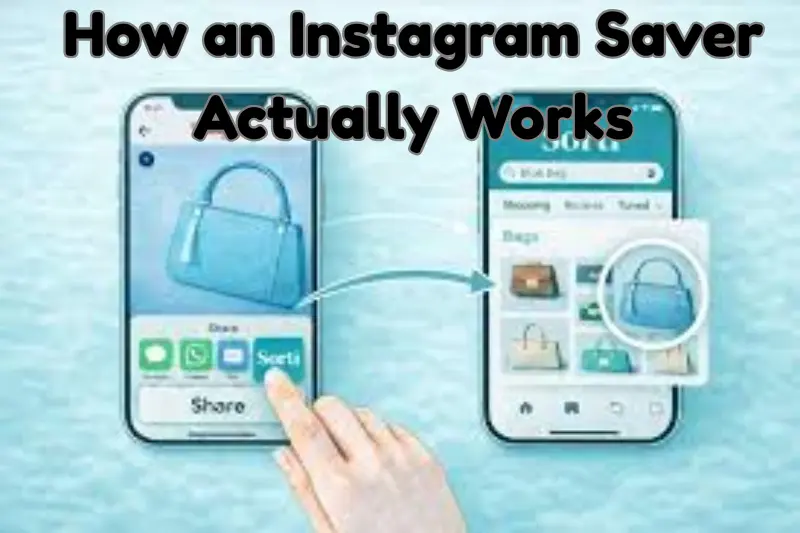
Most articles skip this part, but understanding it helps you tell a legitimate Instagram saver apart from a shady one.
When you open a public Instagram post, your browser already downloads the photo or video temporarily so it can display it to you. An Instagram saver simply locates that same file on Instagram’s content delivery network and gives you a direct link to save it, instead of only displaying it.
This is why a trustworthy Instagram saver:
- Never asks for your Instagram username or password
- Only works on content that is set to public
- Cannot pull anything from a private account you do not follow
- Reads what is already public. It does not “hack” Instagram
If a site claims it can download from a private account without logging in, that is a red flag. It is technically not possible without violating Instagram’s systems, and no legitimate Instagram saver, downloader, or viewer works that way. Treat any “private downloader” or “private account viewer” claim with real suspicion.
Instagram Story Download: Save Stories Before They Expire
Story content gets its own section because it behaves differently from a regular post, and it is the most common reason people search for an Instagram story download tool in the first place.
A story disappears after 24 hours unless the account owner adds it to a highlight. That means an Instagram story downloader only works while the story is still active, or if it has already been saved to a highlight. Once a story expires and was never added to a highlight, no story saver anywhere can recover it. Be skeptical of any site that claims otherwise.
To do an Instagram story download, or use a story saver instagram tool:
- Open the profile whose story you want on Instagram.
- Copy the username, or the story link if the tool asks for one.
- Paste it into your chosen Instagram story downloader.
- Browse the current stories shown and download the ones you want.
Some tools also let you save story and highlight sets together, which is useful when a creator has posted several updates in one day. If you want to keep a habit of archiving someone’s stories (with their permission, for a brand collaboration or a personal record), check the account daily, since waiting a day too long means the content is gone for good.
A note on “anonymous” story viewing. Viewing and saving a public story never notifies the account owner, regardless of which Instagram saver you use. This is different from Instagram’s own “seen” list inside the app, which only tracks views made from a logged-in account, not from a third-party tool.
Instagram Highlights Download
Highlights are grouped story collections a creator has saved permanently to their profile, and they need a slightly different approach than a single story download.
An Instagram highlights download tool usually asks for the profile username rather than a specific link, then shows you every highlight album on that profile. From there, you pick the album, review the stories inside, and download individual photos or videos.
This matters because a single highlights downloader session can save you from scrolling through months of old story content one tap at a time. It is especially useful for:
- Reviewing a brand’s campaign history before a collaboration
- Archiving your own highlight covers and content before a profile refresh
- Keeping a reference library of public content for research or design work
Instagram Reel Download: Getting Short-Form Video Right
A reel download needs to preserve two things a simple photo download does not: motion and audio. A proper Instagram reel downloader keeps both intact, exporting a standard MP4 file instead of a screen recording with background noise or lag.
To save a reel:
- Open the reel on Instagram and tap the share icon.
- Choose “Copy Link.”
- Paste the link into your reel saver instagram tool.
- Download the version that includes audio, if the tool separates video and audio options.
If your reel download comes out silent, look for a downloader with a dedicated “reels” mode rather than a generic video option. Some tools process video and audio streams separately behind the scenes, and picking the wrong mode is the most common reason for a muted result.
Instagram Video Download: Posts, IGTV, and Longer Clips
Outside of reels, Instagram still hosts standard video posts, and a general instagram video downloader handles these. The workflow is nearly identical to a reel download: copy the post link, paste it into the tool, and choose a quality setting if one is offered.
A few things worth knowing about video downloads specifically:
- Resolution options. Some tools offer multiple quality tiers. Always pick the highest one available if file size is not a concern.
- Carousel posts. If a post contains a mix of video and photos, look for a downloader that handles carousels, or you may only get the first item.
- Long-form content. Longer videos take more time to process. A slow download is usually about file size, not a broken tool.
Instagram Photo and Picture Download
Photo posts are the simplest content type to save, but quality still varies a lot between tools. A good Instagram photo downloader pulls the original resolution image Instagram stores, not a compressed thumbnail.
For a clean picture download:
- Copy the link to the specific photo or carousel post.
- Paste it into your photo download instagram tool.
- If it is a carousel, check whether the tool lets you download all images at once or only one at a time.
- Save at the highest resolution offered.
If you regularly need to save instagram photos in bulk, for a moodboard, a research folder, or a content archive, look for a tool that supports multi-image carousel downloads in one pass instead of one link per image.
Instagram DP and Profile Picture Download
A profile picture download, often searched as an “instagram dp download,” lets you view a public account’s profile photo at full size instead of the tiny thumbnail Instagram shows in the app.
This is one of the most misunderstood tools on this list, so it is worth being direct: a profile picture viewer only works on public accounts, and it only pulls the photo the user has already chosen to display publicly. It is commonly used for:
- Verifying a contact or business account before you engage with it
- Brand and competitor profile review
- Getting a clearer look at a profile photo that looks pixelated in-app
To use one, enter the username rather than a link. Most DP downloader tools will show you the largest available version, sometimes labeled HD or full-size, ready to save.
Instagram Post Download
A “post” on Instagram can mean a single photo, a single video, or a carousel with several images and videos mixed together. An Instagram post downloader that handles all three saves you from switching tools depending on what a creator has posted.
When choosing one, check that it can:
- Detect whether the post is a single item or a carousel automatically
- Preserve captions or metadata if you need them for reference
- Handle both photo and video posts without switching modes
Why Some Downloads Look Blurry (and How to Avoid It)
This is something almost no competing guide explains, and it is one of the most common complaints people have, whatever content type they are saving.
Instagram compresses every photo and video you upload to save bandwidth. The version your Instagram saver downloads is the same file Instagram serves to your own browser, so the tool cannot recover detail that Instagram already discarded during compression.
A few things that make this worse:
- Downloading through a third-party chat app first, then pasting that shared link into a saver, since the file has now been compressed twice
- Saving a repost or a screenshot of the original post instead of the original itself
- Choosing a lower quality option when a higher one is available
To get the sharpest possible result, always copy the link straight from the original post, story, or reel on Instagram, not from a forwarded or shared version, and pick the highest quality setting your Instagram saver offers.
Is It Safe and Legal to Use an Instagram Saver?
This is the question people search most, and it deserves a straight answer instead of vague reassurance.
Safety. A safe Instagram saver:
- Does not ask you to log in with your Instagram credentials
- Does not require installing software with broad device permissions
- Does not bury the download button under fake ads or pop-ups
- Has a clear privacy policy stating it does not store your downloads
If a tool asks for your password, close the tab. No legitimate Instagram saver needs it, since it only accesses content that is already public.
Legality. Downloading your own content, or public content for personal, private use such as reference or backup, is generally fine. What gets risky is reposting someone else’s work as your own, or using it commercially without permission. Instagram’s terms of service technically restrict downloading content you did not create, so the safest rule is this: if you would not want someone doing it to your own posts, do not do it to theirs. Always credit the original creator if you plan to reshare anything.
A word on private accounts. You will see plenty of tools online advertising a “private account downloader” or a “private story viewer.” These do not work as described. No legitimate Instagram saver can access private content without logging in as an approved follower, which none of them actually do. At best, these claims are false advertising. At worst, they are phishing attempts designed to steal your Instagram login. If you need content from a private account, ask the account owner to share it with you directly.
How to Choose a Reliable Instagram Saver
With dozens of near-identical tools online, here is a practical checklist instead of a vague “pick a good one” recommendation:
- No login required. If it asks for Instagram credentials, skip it.
- Works without installing an app, at least for basic downloads.
- Clear quality options shown before you download, not after.
- Minimal ads, and none that redirect you away from the page.
- A visible privacy policy stating that files are not stored on their servers.
- Support for the content type you actually need, whether that is stories, reels, DPs, or carousels.
Test any new Instagram saver with a piece of your own public content first. If the download is clean, fast, and matches the original quality, it has earned a second visit.
Common Instagram Saver Problems and How to Fix Them
Most guides never cover this, even though it is the reason people end up frustrated.
“Download failed” or “content not found”:
- Confirm the account is public. Private accounts cannot be accessed by any Instagram saver.
- Recopy the link. Links shared through messaging apps sometimes add extra tracking text that breaks the URL.
- Check that the post has not been deleted or archived.
Story or highlight not loading:
- Make sure you typed the username correctly, without the @ symbol if the tool does not expect it.
- Refresh and try again if the account recently changed its story settings.
Reel or video downloads without sound:
- Some tools separate audio and video for reels. Look for a “with audio” or “reels” specific option instead of the general video downloader.
Profile picture download looks small or pixelated:
- Check whether the tool offers an “HD” or “full size” option. The default preview is sometimes a thumbnail, not the maximum resolution.
Slow downloads:
- This is more often about your connection or the file size than the Instagram saver itself, especially for longer videos or full highlight sets.
Instagram Saver vs. Screenshots and Screen Recording
People sometimes ask why they should bother with an Instagram saver when they could just screenshot or screen record instead. Here is the honest comparison:
- Quality. A screenshot compresses an already-compressed image again. An Instagram saver pulls the actual media file, so quality stays closer to the original.
- Video and audio. Screen recording a reel adds background noise, interface elements, and inconsistent audio sync. A saver gives you a clean file.
- Convenience. Screenshotting a full story sequence or highlight album one by one is slow. A saver can grab everything from a profile in one pass.
- File type. Screenshots are always static images. A saver preserves video as video, which matters if you plan to edit or repost it later.
For a one-off quick look, a screenshot is fine. For anything you plan to keep, edit, or reuse, an Instagram saver gives you a far better starting point.
Frequently Asked Questions
Is an Instagram saver free to use? Most basic Instagram saver tools are free for standard downloads, covering stories, reels, photos, and posts. Some offer paid tiers for bulk downloading or higher resolution exports, but everyday use rarely requires payment.
Do I need to install an app to download Instagram content? No. Most Instagram saver tools work directly in your browser on both desktop and mobile. Apps exist too, and can be more convenient if you download frequently, but they are optional.
Can I download from a private Instagram account? No. No genuine Instagram saver, story viewer, or DP downloader can access private accounts without logging in as a follower, and doing so would violate Instagram’s terms and your own account’s security. Treat any tool claiming otherwise with caution.
How do I download an Instagram story before it expires? Use a story saver as soon as you see the story, since it is only active for 24 hours unless the poster adds it to a highlight. Enter the username, browse the current stories, and download the ones you want right away.
Why does my downloaded photo or video look different from the original? This usually comes down to Instagram’s own compression, not the saver tool. See the quality section above for ways to minimize the difference.
Can I download an entire Instagram profile at once? Some tools support bulk downloading of a public profile’s posts, but this depends on the specific Instagram saver. Check whether the one you are using offers a profile or “download all” mode before assuming it is unsupported.
Will the person know I downloaded or viewed their content? No. Viewing and downloading public content does not notify the account owner. This is different from Instagram’s “seen” indicators on messages, which do not apply here.
Final Thoughts
A good Instagram saver should feel invisible, whether you are doing a quick story download, saving a reel, grabbing a DP, or archiving a full highlight set: paste a link, get your file, move on with your day. The tools that get this right share the same traits, no login requests, clear quality choices, and no data stored on their end.
Now that you know how the process works behind the scenes, how to handle each content type properly, and how to troubleshoot the downloads that fail, you are better equipped than most people pasting links into the first Instagram saver they find.


