Instagram shrinks every profile photo down to a tiny circle. That’s fine until you actually want to see the detail in someone’s picture, check if a brand’s logo is legible, or confirm you’re talking to the right account before you follow it. That’s exactly the gap an Instagram profile picture viewer fills.
This guide covers how these tools work, how to use one properly, what they can and can’t do (including the honest truth about private accounts), and how to avoid the sketchy corners of this niche.
Nothing here is guesswork. It’s based on how Instagram’s image delivery system actually behaves and what happens when you test these tools yourself.
What Is an Instagram Profile Picture Viewer?
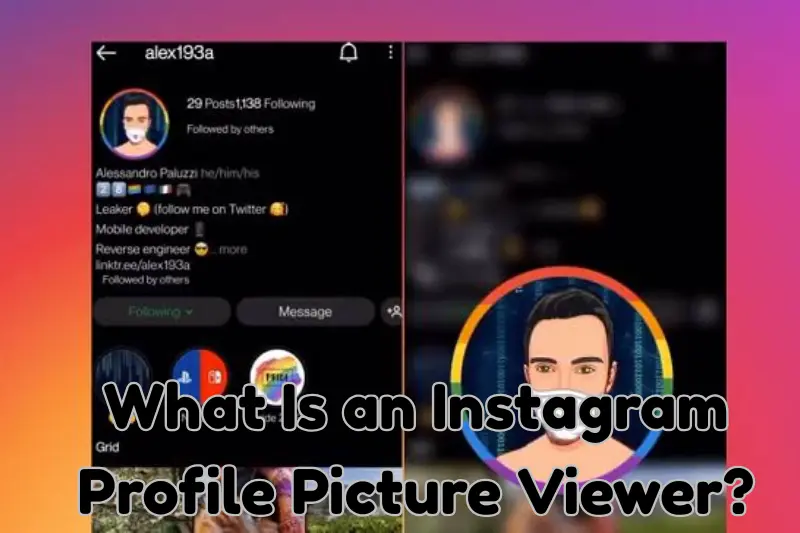
An Instagram profile picture viewer is a free web tool that pulls a user’s profile photo directly from Instagram’s servers and displays it at its original resolution instead of the tiny thumbnail you see in the app.
Type in a username, and the viewer fetches the image, shows it full size, and usually gives you the option to save it.
The main reason people search for an Instagram profile picture viewer is simple: Instagram never lets you tap and zoom on a DP inside the app itself. If you want to see it clearly, you need a separate tool, or you need to know a few manual tricks (more on those below).
Different Names, Same Job: DP Viewer, PFP Downloader, and Avatar Grabber
If you’ve searched around, you’ve probably noticed the same tool gets called different things depending on the site. An Instagram profile picture viewer, a DP viewer, a PFP downloader, and an avatar grabber all do roughly the same core job: fetch a profile photo and show it bigger than Instagram normally allows. The naming just depends on the audience:
- Instagram profile picture viewer or instagram profile viewer: the most common phrase, used by people who just want to see the DP before saving anything.
- Instagram DP downloader or insta dp viewer: popular in regions where “DP” (display picture) is the everyday term for a profile photo.
- Instagram PFP downloader, PFP viewer, or PFP grabber: the same tool, described with the “PFP” shorthand that’s common on Reddit, Discord, and gaming communities.
- Instagram avatar downloader or avatar viewer: occasionally used because “avatar” is the generic term for a profile image across most social platforms.
- Instagram profile picture saver or profile pic saver: emphasizes the download step rather than just viewing.
Whichever term you search, you’re looking for the same category of tool: an Instagram profile picture viewer that pulls the largest available image and lets you view or save it.
How to Use an Instagram Profile Picture Viewer
Using an Instagram profile picture viewer takes under a minute once you know the steps:
- Get the username or profile link. Open the Instagram profile in question and copy the handle (for example, @username) or the full profile URL.
- Open a profile picture viewer tool. Paste the username or link into the search box.
- Load the image. Click view or search. The tool fetches the picture directly from Instagram’s public data.
- Zoom or download. Most tools display the image full screen and offer a download button so you can save it to your device.
If the account has no profile picture, or uses the default grey Instagram avatar, the viewer will simply show that default image, because that’s genuinely what’s stored on Instagram’s end.
View an Instagram DP, PFP, or Avatar Without an Account
One of the biggest draws of an Instagram profile picture viewer is that it works without logging in. You don’t need an Instagram account, you don’t need to install anything, and you don’t need to follow the person whose DP you’re viewing.
This is what separates a proper profile picture viewer instagram users rely on from the in-app method, which forces you to be logged in just to open someone’s profile.
Can an Instagram Profile Picture Viewer See Private Accounts?
Here’s where a lot of competing tools stretch the truth, and it’s worth being straightforward about it.
Instagram’s profile picture is one of the only pieces of data that stays technically “public” at the CDN level, even on a private account, because it needs to render on the login and search screens before you follow anyone. That’s why an Instagram profile picture viewer, or a private Instagram profile viewer as some sites call it, can usually still pull the DP from a private account.
However:
- You still cannot see posts, stories, reels, or the follower count of a private account without an approved follow request.
- Instagram occasionally rotates or restricts even the profile picture URL for accounts that have been reported or flagged, which can cause a viewer to fail.
- Claims that a private Instagram downloader can unlock full private content through the “profile picture URL trick” alone are misleading. It only ever retrieves the DP, nothing else.
If a website promises full private profile access through an Instagram profile picture viewer, treat that as a red flag rather than a feature.
Instagram Profile Picture Download in HD, 1080p, and 4K: What’s Actually Possible
You’ll see plenty of sites advertising an “instagram profile picture download hd” or even a “4K instagram profile picture download.” It’s worth setting the record straight.
Instagram’s app pulls profile pictures from a content delivery network (CDN) that stores several pre-cropped versions of the same image: a small one for the grid and stories ring, a mid-size one for the profile page, and a slightly larger one used internally for verification checks. None of these cached versions were ever meant to be viewed at full screen.
The largest public version most accounts expose sits around 320×320 pixels, which is why even a “full size HD” download from an Instagram profile picture viewer can look a bit soft on a large screen.
So when a tool advertises HD, 1080p, or 4K profile picture downloads:
- HD generally just means “the largest version Instagram stores,” not a true high-definition file.
- 1080p or 4K claims are almost always marketing language. Instagram simply doesn’t host the DP at that resolution anywhere.
- A good Instagram profile picture viewer gets you the largest real version, not a myth-sized image that doesn’t exist.
Knowing this sets the right expectations before you download anything.
Big Profile Picture, Full DP, and Zoomed PFP: What These Terms Actually Mean
You’ll also come across phrases like “big insta profile,” “full instagram profile picture,” or “insta pfp zoom.” These all describe the same outcome: seeing the DP larger than the small circle Instagram shows by default.
- “Full DP” or “full profile picture” simply means the uncropped, largest cached version, viewed through an Instagram profile picture viewer instead of the cropped circle.
- “Zoom” or “zoomed PFP” refers to the on-page zoom feature many viewer tools offer, letting you tap or click to enlarge the image before saving.
- “Big profile picture” is just another way of describing the same full-size output.
None of these phrases mean the tool has access to a special, higher-resolution image Instagram doesn’t otherwise provide. They all point back to the same source file.
Desktop vs. Mobile: Does It Matter?
An Instagram profile picture viewer works the same way on both, but the experience differs slightly:
- On mobile, most viewers open the enlarged image in a new tab, and you’ll usually need to tap and hold to save it to your camera roll, since mobile browsers block automatic downloads more aggressively than desktop ones.
- On desktop, you generally get a direct download button, and you can right-click to save the image in your preferred format.
Either way, no app installation is required. If a site asks you to download an app or a browser extension just to view a profile picture, that’s unnecessary for what should be a simple, browser-based task.
Is Using an Instagram Profile Picture Viewer Safe?
Safety here comes down to two separate questions: is it safe for you, and is it fair to the account you’re viewing.
For you as the user:
- Stick to tools that don’t ask for your Instagram login. A legitimate Instagram profile picture viewer only needs a username, never your password.
- Avoid sites that trigger a flood of pop-ups or redirect you to unrelated download prompts. That’s a sign of ad-injection scripts rather than a clean tool.
- Check that the site uses HTTPS before entering anything.
For the account you’re viewing:
- Viewing and saving a public profile picture through an Instagram profile picture viewer is generally considered acceptable for personal reference, since the image is already public.
- Reposting someone else’s profile picture elsewhere, especially for commercial use, without permission can raise copyright issues. The photo still belongs to whoever posted it.
- Using a viewer to monitor or harass a specific person crosses into a different territory entirely and isn’t something any tool should be used for.
Common Problems With Instagram Profile Picture Viewers (and Why They Happen)
Most competitor pages skip this, but it’s often the first thing people search for after a tool fails on them.
- “Profile not found” error: Usually means the username was typed incorrectly, or the account was deactivated, banned, or renamed. Double-check the spelling directly on Instagram first.
- Image loads but looks blurry: As explained above, this is a limitation of Instagram’s own stored image size, not the viewer tool.
- Tool times out or won’t load: Instagram periodically rate-limits requests from data centers that many free viewers share. Waiting a few minutes and trying again usually resolves it.
- Default grey avatar shows up: This means the account genuinely has no custom profile picture set, or you’re viewing a suspended account.
- Viewer asks for personal information first: This isn’t a technical necessity. Close the tab and use a different tool.
Instagram Profile Picture Viewer vs. Other Methods
| Method | Full Size? | Works on Private Accounts? | Needs Login? |
|---|---|---|---|
| Instagram Profile Picture Viewer (web tool) | Yes, largest cached version | Usually, DP only | No |
| Screenshot inside the app | No, capped at thumbnail size | Only if you follow them | Yes |
| Instagram’s built-in “See Photo” tap | Slightly larger, still small | Only if you follow them | Yes |
| Third-party browser extension | Varies | Varies | Sometimes |
The web-based Instagram profile picture viewer wins mainly on convenience: no login, no extension, no app permissions, and it works whether or not you follow the account.
Tips to Get the Best Result
- Always use the exact username rather than a display name, since display names can be duplicated across many accounts while usernames are unique.
- If a profile picture looks pixelated after download, that’s the ceiling of Instagram’s stored resolution, not something a “better” viewer can fix.
- Bookmark one reliable Instagram profile picture viewer rather than jumping between random sites, since repeated random use increases exposure to intrusive ads.
- If you’re checking a business or brand account, cross-reference the profile picture with their official website logo to confirm you’re on the right account before trusting anything else on the profile.
Frequently Asked Questions
Is an Instagram profile picture viewer free to use? Yes. Legitimate tools are free because they’re simply pulling a publicly cached image, which costs the site almost nothing to serve.
Do I need an Instagram account to use one? No. That’s the main appeal of an Instagram profile picture viewer: you can look up a DP without logging into Instagram at all.
Will the person know I viewed their profile picture? No. Instagram doesn’t send a notification for profile picture views, unlike story views, which are tracked and shown to the account holder.
Why is the downloaded image still not very large? Because Instagram itself never stores a high-resolution version of the profile photo. Every Instagram profile picture viewer, DP viewer, or PFP downloader is limited by that same source file.
What’s the difference between a profile picture viewer and a profile picture downloader? Functionally, almost nothing. A viewer shows the image full size on the page, while a downloader adds a direct save button. Most modern tools combine both, acting as a viewer and a downloader in one.
Can I use this to view someone’s profile picture history? No. Once someone changes their profile picture, the old version is no longer retrievable through a standard Instagram profile picture viewer, since Instagram doesn’t keep a public archive of past DPs.
Is there a difference between “DP,” “PFP,” and “avatar”? Not really. DP (display picture), PFP (profile picture), and avatar are three regional or generational terms for the exact same thing: the small circular photo attached to an account. Any instagram profile picture viewer, DP viewer, or avatar downloader is working with the same image.
Final Thoughts
An Instagram profile picture viewer is a small tool that solves a genuinely annoying problem: Instagram’s refusal to let you see a DP at anything more than thumbnail size. Whether you call it a DP viewer, a PFP downloader, or an avatar grabber, it’s doing the same job. Used the right way, for public reference, quick verification, or just curiosity, it’s a fast, login-free, and free solution.
The main thing to watch for is honesty in what a tool claims it can do. Any Instagram profile picture viewer that promises 4K resolution that doesn’t exist, unlocks full private content, asks for your password, or buries you in pop-ups isn’t worth your time. Stick with a clean, simple tool, know the real size limits going in, and you’ll get exactly what you came for.