You found a Reel you love. A recipe, a travel clip, a workout routine, a joke that made you laugh out loud. Now you want to keep it, watch it offline, or share it somewhere else. The question is simple: how do you download Instagram Reels without losing quality, adding a watermark you didn’t ask for, or putting your phone at risk?
This guide answers that question properly. Not with a single trick, but with every real method available in 2026, plus the legal and safety context that most download tools leave out entirely.
Why People Want to Download Instagram Reels
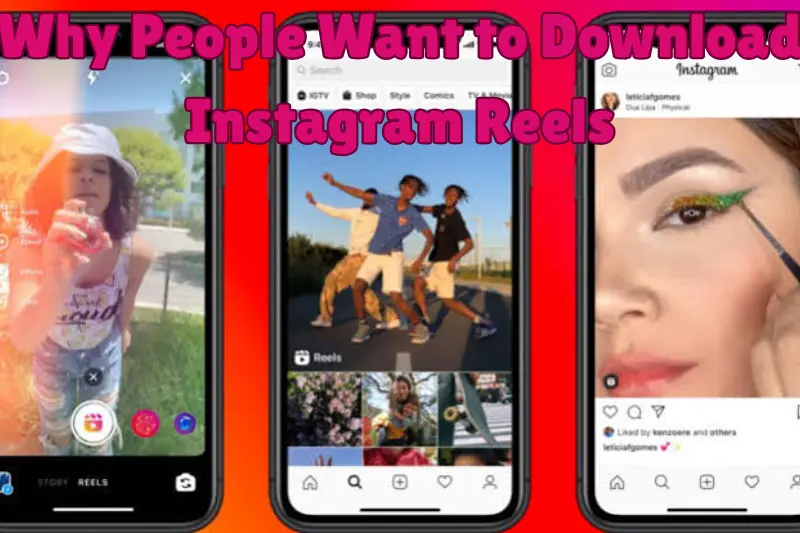
Before jumping into the “how,” it helps to understand the “why,” because the right method depends on your goal.
Common reasons people download Instagram Reels include:
- Saving a tutorial, recipe, or workout to watch without an internet connection
- Backing up their own content before deleting an old account
- Repurposing a Reel (with permission) for a blog, presentation, or portfolio
- Keeping a personal archive of favorite creators’ work
- Extracting a Reel’s audio to identify a song or sound
Whatever your reason, the method you choose should match your intent. Someone downloading their own content has far more freedom than someone downloading a stranger’s viral clip.
Is It Legal to Download Instagram Reels?
This is the part most competitor guides skip, and it matters more than any step-by-step tutorial.
Instagram’s own terms allow you to save Reels for personal, non-commercial use in most cases, especially when the creator has enabled the built-in download option. That is why Instagram added its own download button in the first place.
Where it gets tricky:
- Your own Reels: Always fine to download. It’s your content.
- Public Reels with downloads enabled: Generally fine for personal viewing. Instagram itself provides the tool.
- Public Reels with downloads disabled: The creator has chosen not to let people save their work. Using a third-party downloader to bypass that choice sits in a legal and ethical gray area.
- Reposting or monetizing someone else’s Reel: This almost always requires the creator’s permission, regardless of how you downloaded it. Copyright ownership stays with the original creator even after you save a copy to your device.
A simple rule of thumb: downloading to watch privately is low risk. Downloading to repost, resell, or use commercially without credit is where people get into trouble, including copyright strikes and takedown requests.
Method 1: Use Instagram’s Built-In Download Feature
Since Instagram rolled this out, it’s the safest and most official way to download Instagram Reels, and most guides barely mention how simple it is.
Steps on mobile:
- Open the Reel you want to save.
- Tap the paper airplane (Share) icon.
- Look for the Download option in the menu.
- Tap it, and the video saves straight to your phone’s gallery.
A few honest limitations to know upfront:
- This only works if the creator has left “Allow people to download your Reels” turned on. If you don’t see the download option, they’ve opted out, and there’s no built-in workaround.
- Reels using licensed music from Instagram’s audio library sometimes download without sound, because the music license doesn’t extend to offline use.
- The saved file usually includes a small Instagram watermark and the creator’s username, similar to how TikTok downloads work.
If you can see the download option, use it. It’s the version Instagram sanctioned, which means no third-party server ever touches your data.
Method 2: Use a Third-Party Instagram Reels Downloader
When the built-in option isn’t available, or you specifically need a version without a watermark, a third-party downloader is the next practical choice. These tools work by pulling the video from a public Reel’s link and giving you a direct file.
How it typically works:
- Open Instagram and find the Reel.
- Tap Share, then Copy Link.
- Paste the link into the downloader’s search or input box.
- Choose your preferred quality (usually HD or original resolution).
- Tap download and save the file to your device.
What to check before trusting any downloader:
- No login required. A legitimate Instagram Reels downloader never asks for your Instagram username or password. If it does, close the tab.
- No forced app installs. Browser-based tools that don’t require installing anything are generally lower risk than random apps from outside official stores.
- Clear privacy policy. Reputable tools state they don’t store your downloaded files on their servers after delivery.
- Works only with public content. If a tool claims it can download Reels from private accounts, that’s a red flag, because it would require unauthorized access.
Quality can vary between tools, so it’s worth testing with a short Reel first to compare resolution and audio sync before relying on any single downloader regularly.
Method 3: Screen Recording
Screen recording is the oldest workaround, and it still has a place, particularly for Stories or Reels where downloading is blocked entirely.
Steps:
- Turn on your phone’s built-in screen recorder (Control Center on iPhone, Quick Settings on Android).
- Open the Reel and start recording.
- Play the Reel in full, then stop the recording.
- Trim the start and end in your phone’s photo editor.
The upside is that it works on literally anything visible on your screen. The downside is lower quality, no easy way to remove your status bar or notifications from the frame, and it captures audio only if your device microphone or system audio is enabled during recording.
Method 4: Instagram Reels Downloader Apps
Dedicated apps exist for people who download Reels often and want a saved history of their downloads. Before installing one, check:
- App store rating and recent reviews, not just the overall score
- Requested permissions (a downloader app has no legitimate reason to request contacts or SMS access)
- Whether the developer publishes a real privacy policy
Apps can be convenient, but they also carry more risk than browser tools since they run persistently on your device. Stick to well-reviewed apps from official stores only.
Instagram Reels Downloader Comparison
| Method | Watermark | Login Needed | Works Offline After Save | Best For |
|---|---|---|---|---|
| Instagram’s built-in download | Usually yes | Yes (your account) | Yes | Your own or public Reels with downloads enabled |
| Third-party downloader website | Usually no | No | Yes | Public Reels, no watermark preference |
| Screen recording | No | No | Yes | Blocked Reels, Stories, quick saves |
| Downloader app | Varies | No | Yes | Frequent downloaders wanting a saved history |
How to Download Instagram Reels Without a Watermark
This is one of the most searched follow-up questions, so it deserves a direct answer. Instagram’s own download tool adds a watermark by design, since it’s meant to credit the creator when you share the file elsewhere.
If you need a clean file without a watermark:
- Use a third-party downloader that pulls the original file rather than a re-encoded version. Most reputable ones deliver the Reel exactly as uploaded, with no added logo.
- Never use a tool that promises to “remove” an existing watermark from a file you already downloaded. That’s a different process entirely, and it usually violates copyright law even when the built-in Instagram watermark was the only one present.
How to Download an Instagram Reel’s Audio Only
Sometimes you just want the sound, not the video. A few honest options:
- If your downloader shows the sound name after you paste the link, tap on it to see if Instagram links it to a song on a music platform.
- Some third-party tools let you extract audio as an MP3 directly from the Reel link.
- Screen record with your device audio enabled, then use a simple audio editor to trim and export just the sound.
Keep in mind that licensed music is still protected even after extraction. Using it in your own content, especially commercially, generally requires a separate license.
Safety Tips Before You Download Any Reel
A responsible Instagram Reels downloader guide has to mention safety, not just speed. Follow these basics:
- Never enter your Instagram password into a third-party website or app.
- Avoid downloaders that show excessive pop-up ads or redirect you unexpectedly, both are common signs of low-quality or unsafe sites.
- Check that the site uses HTTPS before pasting any link.
- Keep your phone’s operating system and browser updated, since outdated software is more vulnerable to malicious scripts on ad-heavy sites.
- If an app asks for permissions unrelated to downloading (contacts, microphone, location), decline and look for an alternative.
Respecting Creators When You Download Instagram Reels
A detail that’s easy to overlook: every Reel is someone’s work. Downloading it for personal use is one thing, but if you plan to share it anywhere else, a little credit goes a long way.
- Tag or mention the original creator when reposting.
- Link back to the original Reel where possible.
- Ask for permission before using someone’s content commercially, in ads, or in a paid course.
- If you’re a creator yourself, you can control this from your end too: go to your Instagram settings and toggle “Allow people to download your Reels” on or off, depending on how you want your content shared.
Frequently Asked Questions
Can I download Instagram Reels on a PC or laptop? Yes. You can paste the Reel’s link into a browser-based downloader from any device, including desktop computers, without needing the Instagram app installed.
Why does my downloaded Reel have no sound? This usually happens when the Reel uses licensed music. Instagram sometimes strips the audio from downloads to comply with the music license, even though the audio plays fine inside the app.
Is it safe to download Instagram Reels from third-party websites? It can be, as long as the site doesn’t ask for your Instagram login, doesn’t require an app installation, and uses a secure connection. Stick to well-known tools with clear privacy practices.
Can Instagram tell if I downloaded someone’s Reel? Instagram’s own download feature doesn’t notify the creator. Third-party downloaders that work through a public link also don’t trigger a notification, since they access publicly available data.
Why can’t I find the download option on some Reels? The creator has turned off downloads for their account. There’s no official way around this, and using a third-party tool to bypass it means the creator specifically chose not to allow it.
Final Thoughts
Downloading Instagram Reels doesn’t have to mean choosing between convenience and safety. Start with Instagram’s built-in download button whenever it’s available, since it’s the most official and lowest-risk option. When it isn’t available, a trustworthy third-party downloader or a simple screen recording will get the job done, as long as you stay mindful of quality, privacy, and the creator’s rights.
Whichever method you choose, downloading a Reel is easy. Using it responsibly afterward is what actually matters.