You found a reel you want to keep, a friend’s photo dump you don’t want to lose, or a tutorial video you’ll need again next week. Instagram doesn’t give you a built-in save-to-camera-roll button for most of this, so you go looking for an IG downloader instead. Fair enough. That’s exactly what these tools are for.
But not every IG downloader is built the same, and not every one of them is safe to use. Some are genuinely quick and clean. Others are stuffed with pop-up ads, fake “Download” buttons that lead nowhere, or browser extensions that quietly track what you do online. After testing a handful of the most popular options and digging into how they actually work behind the scenes, here’s what you need to know before you paste your next link.
What Is an IG Downloader?
An IG downloader is a tool, website, app, or browser extension that lets you save Instagram content, videos, reels, photos, stories, carousels, and sometimes even entire profiles, directly to your phone or computer. Instagram’s own app only lets you save posts inside the app itself, in a private collection that never leaves Instagram. If you want the actual file on your device, an IG downloader fills that gap.
Most people reach for one of these tools for a few common reasons:
- Saving a reel or video to repost, edit, or watch offline later
- Keeping a copy of a friend’s or family member’s post before it’s deleted
- Downloading content for research, moodboards, or personal archives
- Pulling a profile picture or story before it expires
An IG downloader doesn’t need your Instagram password, and a trustworthy one never asks for it. All it needs is a public link.
How Does an IG Downloader Actually Work?
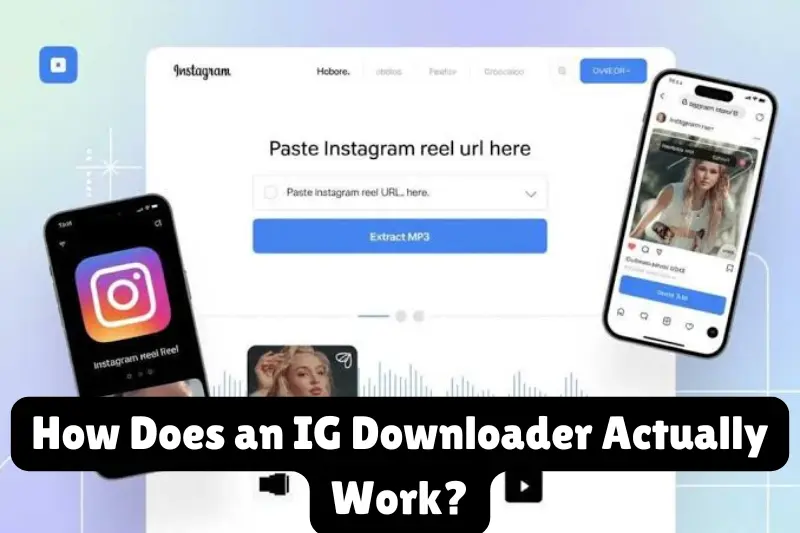
The process is simpler than it looks. When you paste a link into an IG downloader, the tool sends a request to Instagram’s public servers, reads the page data attached to that link, and pulls out the direct media file, the actual video or image, without going through your account at all.
That’s why it works without a login: it’s not accessing your Instagram, it’s reading publicly available data the same way your browser does when it loads the page. The tool then gives you a direct download link or a “Save” button so the file lands in your downloads folder instead of staying locked inside the app.
This also explains why an IG downloader can only grab public content. If a profile is private and you don’t follow it, there’s no data for the tool to read, so no IG downloader, no matter how it’s marketed, can legitimately pull content from it.
How to Use an IG Downloader, Step by Step
The workflow is nearly identical across most tools, whether you’re on a website, an app, or a browser extension.
- Open the Instagram post, reel, or story you want to save, either in the app or on instagram.com.
- Tap the share icon (the paper airplane) and select “Copy Link.” For a profile, just copy the URL from your browser’s address bar.
- Paste the link into the IG downloader’s input box.
- Press Download. The tool fetches the file and gives you a save button.
- Save the file to your camera roll, downloads folder, or gallery app.
That’s the full process. If a downloader asks you to install software, sign in with Instagram, or grant unusual permissions before it will let you paste a link, that’s a red flag, not a normal step.
Downloading on iPhone
iOS doesn’t let Safari save video files directly to Photos the way Android can. On an iPhone, the cleanest route is to use an IG downloader that generates a direct download link, open that link, then use the share sheet’s “Save Video” option, or route it through the Files app first if Safari doesn’t offer a direct save prompt.
Downloading on Android
Android handles this more smoothly. Most IG downloader sites let you long-press the media or tap a download icon, and the file goes straight into your Downloads or Gallery folder without extra steps.
Downloading on PC or Mac
On desktop, an IG downloader typically opens the file in a new tab or triggers a standard browser download, which lands in whatever folder your browser is set to use by default.
Is It Safe and Legal to Use an IG Downloader?
This is the part most competitor guides skip entirely, and it’s arguably the most important part.
Legally, downloading Instagram content doesn’t automatically mean you can use it however you like. The photo, video, or reel still belongs to whoever created it. Saving it for personal viewing is generally low risk, but reposting someone else’s content, using it commercially, or claiming it as your own can cross into copyright infringement. A responsible IG downloader is a tool for saving content you have the right to save, your own posts, content you’re licensed to use, or material where the creator has given permission, not a shortcut around ownership.
Safety-wise, the IG downloader space has a real problem: a lot of these sites make their money from aggressive advertising, and some go further than that. Before you use one, watch for these warning signs:
- Multiple “Download” buttons on one page. Legitimate tools have one clear button. If you see three or four buttons that all look like the real one, at least some of them are ads designed to trick you into clicking.
- Requests for your Instagram login. No IG downloader needs your password to pull a public link. If one asks for it, close the tab.
- Browser extensions with broad permissions. An extension that asks to “read and change all your data on all websites” is asking for far more access than a simple downloader needs.
- Redirect loops or forced app installs. If pasting a link launches a chain of new tabs before you ever see your file, the site is prioritizing ad revenue over your experience, or worse.
- No clear privacy policy. A tool that won’t tell you what it does with your data isn’t one you should trust with your browsing habits.
The safest habit is to use an IG downloader that works entirely in the browser, doesn’t ask for credentials, and gets you from pasted link to saved file in as few clicks as possible.
What to Look for in a Good IG Downloader
Not every tool needs every feature, but the strongest options tend to share these traits:
- No login required. Your Instagram credentials should never be part of the process.
- Original quality output. You want the actual uploaded file, not a re-compressed or watermarked copy.
- Support for multiple formats. Reels, feed videos, photo carousels, stories, and profile pictures all behave a little differently, so a tool that handles all of them saves you from bouncing between five different sites.
- Works on mobile and desktop. A good IG downloader shouldn’t lock you into one device.
- Minimal, non-intrusive ads. Some advertising is how free tools stay free, but it shouldn’t interfere with finding the real download button.
- Fast processing. Media should be ready within a few seconds, not tied up in a loading screen with countdown timers.
IG Downloader by Content Type
Not every download is the same job. A story disappears in 24 hours, a reel is a full video file, and a profile picture is a single small image. Here’s how an IG downloader handles each one, and what to search for depending on what you’re actually trying to save.
Instagram Story Downloader
An Instagram story downloader is built for content that’s only live for 24 hours, so speed matters more here than anywhere else. If you want to save an Instagram story, insta story download and ig story download both point to the same thing: pasting the profile or story link before it expires and pulling the image or video out as a real file.
A few things worth knowing about story downloads specifically:
- Public stories only. A story saver can only pull from accounts that aren’t set to private, the same public-data rule that applies to every other type of download.
- Story downloads are always anonymous. Instagram doesn’t show “seen by” activity to anyone using a third-party story downloader, so using an ig story downloader to save story doesn’t create a viewer notification the way opening the story in the app does.
- Timing matters. Once a story expires, it’s gone from Instagram’s public data entirely. No instagram story saver, however it’s marketed, can retrieve a story after the 24-hour window unless it was reshared to highlights.
If you’re trying to download instagram stories regularly, from a creator you follow for reference, or your own stories before they vanish, a dedicated story download flow is faster than a general-purpose tool that treats every link the same way.
Instagram Reels Downloader
Reels download the same way any Instagram video does, but a good instagram reels downloader is worth using specifically because reels often get compressed harder than feed videos. Insta reel download and ig reel download both work by reading the direct video file behind the reel link, the same one Instagram serves in the app, rather than recording your screen.
Watch for these two issues, which are common with reel-specific downloaders:
- Missing audio. Reels use a separate audio track more often than regular posts, and a poorly built reel saver can grab the video stream without it.
- Watermarked output. Some tools add their own logo to a “instagram reel download” as a form of free advertising. A clean instagram reels download shouldn’t have anything stamped on it beyond what the creator originally posted.
Instagram Photo Downloader
Photo downloads are the simplest case, and it shows in how consistent most instagram photo downloader tools are. Insta photo download and instagram picture download both just need the post link, and the output is a single image file (or several, for a carousel).
Two details make a real difference in photo quality:
- Full resolution matters. A basic instagram image downloader might serve a thumbnail-sized preview instead of the original file. Look for one that explicitly mentions HD or original quality.
- Carousels need to be handled properly. If a post has multiple photos, an instagram photo download tool should let you grab all of them, not just the first image in the set.
Instagram Video Downloader
This is the broadest category, covering everything from feed videos to IGTV. An instagram video downloader that handles the format well will give you a standard mp4 file at the same resolution the creator uploaded, playable on any device without conversion.
If you’re comparing instagram video download tools, the resolution options (SD vs HD) and whether the tool preserves original audio quality are the two specs that actually matter. Everything else, page design, ad placement, is cosmetic.
Instagram DP and Profile Picture Downloader
Saving someone’s profile photo is a slightly different job from saving a post, because Instagram profile pictures are served at a small size by default inside the app. An instagram dp downloader works around this by pulling the full-size version of the image directly from Instagram’s servers instead of screenshotting the small circular thumbnail.
A genuine instagram profile picture downloader will show you the picture at its original resolution, often labeled HD or full-size, rather than an upscaled and blurry copy. This works for public profiles only. There’s no legitimate instagram dp download method for a private account’s photo unless you already follow them and are viewing it inside the app yourself.
Instagram Highlights Downloader
Highlights are stories a creator has chosen to keep permanently on their profile, which makes them easier to plan around than regular stories. An instagram highlights downloader works the same way as a story tool, you paste the highlight link or open the highlight and copy its link, and the tool pulls each individual story inside it.
Because highlights don’t expire, this is one of the few download instagram highlights tasks you can do at any time rather than racing a 24-hour clock. If a profile has organized highlights into named categories, most tools let you download instagram highlights one at a time rather than the whole collection in a single click.
Instagram Profile Downloader (Bulk Downloads)
Occasionally you’ll want more than one post, saving a public creator’s full grid for research or reference, for example. An instagram profile downloader that supports bulk downloading will queue up every public photo and video on a profile instead of making you paste each link one by one. This is the slowest of the download types simply because of volume, and it’s worth confirming a tool actually supports it before assuming a single-post downloader will scale up to a whole account.
A Note on Private Accounts
A large number of people searching for an IG downloader are specifically looking for a way into private account content, a private story, a private profile’s photos, or a private downloader that claims to bypass the follow requirement. It’s worth being direct about this: there isn’t a legitimate version of that tool.
Instagram only serves public data to outside requests. A private account’s posts, stories, and highlights simply aren’t reachable unless you’re logged into an account that already follows them, and even then, you’re viewing it through Instagram itself, not through any downloader. Any site or app claiming to be a “private instagram downloader” or a way to view a private profile without following it is either:
- Not actually doing what it claims, serving fake results, broken links, or endless ad loops instead, or
- Attempting something that violates Instagram’s terms and, depending on how it works, the account owner’s privacy, which isn’t something a responsible IG downloader should ever offer.
If you need to see or save something from a private account, the only real path is following the account (with their approval) and using Instagram normally, or asking the person directly to share it with you.
IG Downloader vs. Instagram’s Built-In Save Feature
It’s worth knowing the difference, since people often assume Instagram’s native “Save” bookmark does the same job.
| Instagram’s Save Feature | IG Downloader | |
|---|---|---|
| Saves file to your device | No, stays inside the app | Yes |
| Works offline after saving | No, needs the app open | Yes, once downloaded |
| Requires login | Yes | No |
| Works on someone else’s public post | Yes, but only viewable in-app | Yes, saved as a real file |
| Lets you edit or repost the file | No | Yes |
If you just want to revisit a post later inside Instagram, the built-in bookmark is fine. If you want an actual file you can keep, edit, share outside the app, or use offline, that’s where an IG downloader comes in.
Common Problems and How to Fix Them
The download button doesn’t do anything. The link you copied might be from a private account, or you copied the profile link instead of the post link. Double-check by opening the link in a new tab first.
The saved video has no sound. This usually happens when a tool pulls the wrong media stream from a reel. Try a different IG downloader if this keeps happening with the same one.
The file quality looks worse than the original. Some tools compress files to save server costs. Look for a downloader that explicitly mentions HD or original-quality output.
Nothing happens on iPhone after tapping Download. iOS often opens the file in a new tab instead of saving it automatically. Use the share icon in that tab and choose “Save Video” or “Save Image.”
Frequently Asked Questions
Does the person know if I use an IG downloader on their content? No. Instagram doesn’t notify anyone when their public post, reel, or photo is downloaded. The person posting has no way to see who saved their content.
Can an IG downloader save content from a private account? No, not legitimately. If you don’t follow the private account, there’s no public data for the tool to access. Any site claiming otherwise is either lying or attempting something that violates Instagram’s terms and your trust.
Do I need to install an app to use an IG downloader? No. Most reliable options work entirely through a web browser. Apps and browser extensions exist too, but they’re a convenience, not a requirement.
Is it free to use an IG downloader? Most are free, often supported by ads. Be cautious of any that ask for payment just to download a single public post, that’s not standard.
Can I download Instagram Stories before they expire? Yes, as long as the story is still live and posted by a public account. Once it expires, most IG downloader tools can no longer access it.
What’s the difference between downloading a reel and a regular video post? Functionally, very little from your end. Both are video files, and a capable IG downloader handles both the same way, you just paste the link either way.
The Bottom Line
An IG downloader is a genuinely useful tool when you pick one that respects your privacy and doesn’t need your login to work. Stick to public content, avoid tools that pile on suspicious pop-ups or ask for permissions they don’t need, and remember that saving something isn’t the same as owning the right to repost it. Used carefully, an IG downloader can be exactly what it promises: a fast, simple way to keep the Instagram content that matters to you, right where you can actually access it.


