
You have probably tried to zoom in on someone’s Instagram profile photo and ended up with a blurry, pixelated mess. That tiny circle at the top of a profile was never meant to be viewed up close, and Instagram does not make it easy to see the full picture. That is exactly why insta dp download tools exist, and why so many people search for them every single day.
This guide covers everything the other pages leave out: the actual technical reason profile photos look small, how an insta dp download tool works alongside related tools like Instagram story download, reels download, and highlights download, what to do when a download fails, and how to use these tools without running into privacy or copyright trouble. If you just want the quick steps, jump to the how-to section below.
What Does “Insta DP” Actually Mean?
DP stands for display picture, sometimes called a profile picture, PFP, or avatar. On Instagram, this is the small circular image next to your username, on your posts, stories, and comments. It is the first thing anyone sees when they visit a profile, yet Instagram displays it at a tiny size, often no larger than 150×150 pixels in the app.
An insta dp download tool retrieves the original, larger version of that same photo, the one Instagram stores on its servers but does not show you directly in the interface. Depending on when the photo was uploaded, this larger version can be anywhere from 320×320 pixels up to 1080×1080 pixels or higher, which is why people also search for terms like instagram dp download hd or instagram profile picture download 1080p.
Why Instagram Hides the Full-Size Profile Photo
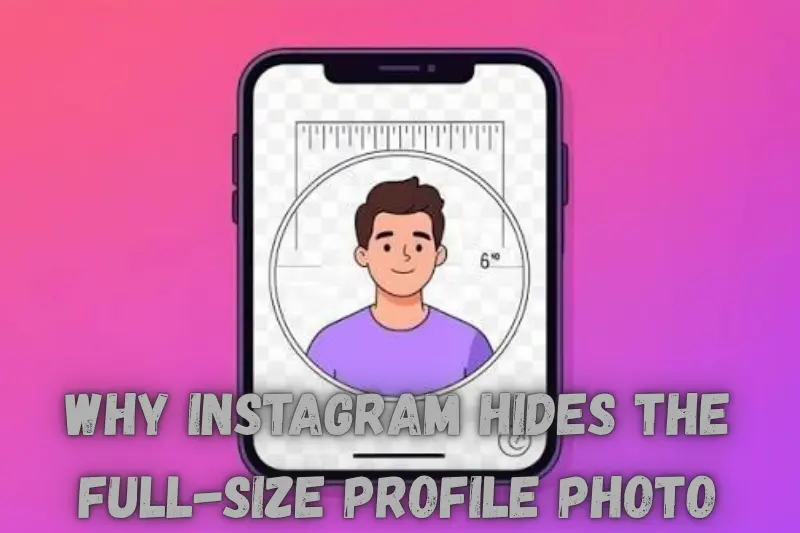
Here is something most articles never explain: Instagram intentionally serves a compressed, low-resolution thumbnail for profile pictures across the app. This is not a bug, it is a deliberate performance decision. Loading a full-resolution image every time you scroll past a username in comments or a story tray would slow the app down and burn through mobile data.
The full-size version still exists on Instagram’s content delivery network, it is just not linked anywhere visible in the standard app. That is the gap an insta dp download service fills. It requests the profile data through Instagram’s public endpoints and pulls out the direct image URL that the app itself never displays.
This also explains a common complaint: sometimes the “full size” image you download still looks slightly soft. That usually is not the fault of the download tool. It means the account owner uploaded a smaller image originally, and there is no higher-resolution version to retrieve. No insta dp download tool can invent detail that was never uploaded.
How to Do an Insta DP Download: Step by Step
You do not need to install anything or hand over your Instagram login to complete an insta dp download.
- Find the profile you want. Go to the account whose profile picture you want to save. You need the exact username or the profile URL.
- Copy the username or profile link. Tap the three dots on the profile, or copy the link from your browser’s address bar on desktop.
- Paste it into an insta dp download tool. Open a reliable DP downloader website and submit the username or link.
- Preview the image. A properly working tool shows you a preview before you download, so you can confirm the account and check resolution.
- Download and save. Tap the download button. The image saves in its original format, usually JPG, directly to your device.
The whole insta dp download process should take under 30 seconds. If a site asks you to log in with your Instagram credentials at any point, close the tab. No legitimate insta pfp download tool needs your password to fetch a public profile picture.
Insta DP Download on Mobile vs Desktop
On a phone: Copy the profile link from Instagram’s share menu, switch to your browser, paste it into the downloader, and the image usually saves straight to your Gallery. Some browsers require you to press and hold the preview image and choose “Save image.”
On a desktop: Copy the URL directly from your browser’s address bar on instagram.com. Paste it into the downloader in a new tab. The file lands in your Downloads folder.
If you use an iPhone, Safari sometimes opens images in a new tab instead of saving directly. Tap and hold the image and select “Add to Photos.”
Beyond DP: Other Instagram Content People Search to Save
An insta dp download tool solves the profile picture problem, but most people managing an Instagram presence, or simply saving content, also look for a story downloader, a reels saver, and a highlights download tool. Here is how each one works and how it differs from a straightforward dp download.
Instagram Story Download
Instagram story download tools work on a similar principle to insta dp download, they pull the direct media link from Instagram’s servers, except stories expire after 24 hours unless the account owner saved them as a highlight. To do an instagram story download:
- Open the story you want to save while it is still live.
- Copy the profile link, or in some tools, use the username directly, since many story saver tools list all currently active stories for a public account.
- Paste it into an instagram story downloader and select the specific story to save.
One thing most guides skip: an instagram story download only works while the story is active or archived by the owner as a highlight. Once it expires and was never saved to highlights, no tool, however advanced, can retrieve it. If someone tells you otherwise, that claim is false.
Instagram Reels Download
Reels download works differently from a story or dp download because reels are permanent posts, not temporary content. For an instagram reels download:
- Copy the direct reel link using the share or copy link option inside the app.
- Paste the link into a reels downloader.
- Choose your preferred quality, most tools default to the original upload quality, similar to what you would expect from an instagram video download.
Since reels are usually posted with background music, note that a reel saver downloads the video file with the audio track intact if the creator used original audio, but licensed music tracks may be muted or altered depending on Instagram’s own rights management, not the downloader.
Instagram Highlights Download
Highlights are stories the account owner has pinned permanently to their profile, which makes an instagram highlights download more reliable than a regular story download since the content will not vanish after 24 hours. To do an instagram highlights download:
- Open the highlight cover you want to save.
- Copy the profile link and paste it into a highlights downloader, most tools list every visible highlight reel by name.
- Select the individual highlight and download each story within it.
Highlight covers themselves, the small circular icons above a profile, can also be saved separately if you are searching for something like an instagram highlight cover download for design reference.
Instagram Video and Photo Download for Posts
For regular feed posts, an instagram photo download or instagram video download follows the same core pattern as insta dp download: copy the post link, paste it into the tool, preview, and save. A few practical notes:
- Carousel posts with multiple photos usually need to be downloaded one image at a time, or in bulk if the tool explicitly supports it.
- An instagram photo downloader that claims 4k or 8k output is almost always just upscaling a lower resolution file. Instagram compresses photos on upload, so the real ceiling is usually 1080p to 1440p depending on the post.
Can You Do an Insta DP Download for a Private Account?
This question comes up constantly, and it deserves an honest answer instead of a workaround. No insta dp download tool, story downloader, or reels saver can access content from a private account unless you already follow that account and are logged in through Instagram itself. This is not a limitation of the tools, it is how Instagram’s privacy system is built at the server level.
Any website or app that advertises a private instagram downloader or claims it can pull a private account’s profile picture, story, or highlights without your logging in is either lying to collect ad revenue from desperate clicks, or attempting to phish your Instagram login. Treat any such claim as a warning sign rather than a shortcut.
If you genuinely need to view content from a private account, the only legitimate path is to send a follow request and wait for approval.
Why Your Insta DP Download Sometimes Fails
This is the part almost every competing page skips, and it is usually the most useful section for someone stuck. Here are the real reasons an insta dp download, story download, or reels download does not work:
- The account is private. Covered above, there is no workaround.
- The username was typed incorrectly. A single typo sends the tool looking for an account that does not exist. Copy and paste instead of typing from memory.
- The account recently changed its handle. An old cached link may point to a dead page. Search the current username directly on Instagram first.
- Instagram temporarily rate-limited requests. Since Instagram does not officially support third-party downloading, tools sometimes hit temporary blocks during high traffic periods. Wait a few minutes and try again.
- The story or highlight already expired. A story download only works while the content is live or saved as a highlight.
- The profile picture is the default silhouette. If someone never set a profile photo, there is nothing beyond the generic placeholder to download.
How to Check You Got a Genuine High-Resolution Photo
Not every insta dp download tool actually delivers the highest quality available. Some simply upscale a small thumbnail using software, which stretches the pixels and makes the image look artificially sharpened. A quick way to check:
- Look at the file size. A genuine 1080×1080 JPG from Instagram is typically between 40KB and 150KB. A stretched fake often weighs far less.
- Zoom in on fine details like hair strands or text. Upscaled images blur or smear these areas.
- Compare the dimensions shown by the tool against the file’s actual properties on your device.
Is Insta DP Download Legal and Safe to Use?
Downloading a public profile picture for personal viewing, such as confirming you have the right account, generally falls into a legal gray area that most people never run into problems with. Public profile pictures, stories, reels, and posts are, by definition, visible to anyone who visits the profile. The same principle applies whether you are doing an insta dp download, a story download, or a reels save.
That said, ownership of the media still belongs to whoever posted it. Downloading a file does not transfer any rights to reuse it. Reasonable, low-risk use includes:
- Confirming you are messaging or reviewing the correct account.
- Keeping a personal record of a business or client’s branding.
- Academic or research purposes involving public figures or public data.
Avoid using downloaded content for impersonation, harassment, deceptive advertising, or any commercial project without asking permission first.
Choosing a Trustworthy Insta DP Download Tool
Since dozens of sites offer the same basic service, a few practical checks separate the reliable ones from the sketchy ones, whether you are searching for insta dp download, instagram story downloader, or instagram reels download:
- No login required. A trustworthy tool never asks for your Instagram username and password.
- No forced app installs. Be cautious of any tool that insists you install a browser extension just to download one image.
- Clear privacy policy. Reputable sites state they do not store your downloaded files or search history.
- Works only on public accounts. If a tool claims it can pull private content, treat that as a red flag.
- Minimal, non-intrusive ads. A few ads are normal for a free tool, but constant pop-ups are a sign to look elsewhere.
Frequently Asked Questions
Does insta dp download work for private accounts? No. Private account content is protected, and you need to follow the account on Instagram to view it.
Do I need to create an account to use an insta dp download tool? No legitimate tool requires you to sign up or log in with Instagram credentials.
What is the maximum resolution I can get from an insta dp download? It depends on what the account owner uploaded. Most accounts cap out around 1080×1080 pixels.
Can I do an insta dp download on an iPhone? Yes. Copy the profile link in Safari or the Instagram app, paste it into a downloader, then press and hold the resulting image to save it.
How is instagram story download different from insta dp download? An insta dp download saves a static profile picture that stays on the account permanently. An instagram story download saves temporary content that disappears after 24 hours unless it was saved as a highlight.
Can I do an instagram reels download with the original audio? Yes, if the reel uses the creator’s original audio, the download includes it. Licensed music behaves according to Instagram’s own rights rules, not the downloader.
Why does my downloaded photo still look blurry? The source photo the account owner uploaded may itself be low resolution. A download tool retrieves what Instagram has stored, it cannot add detail that was never there.
The Bottom Line
An insta dp download is a quick, low-risk way to get a clearer look at a public Instagram profile picture than the app’s tiny thumbnail allows, and the same basic method extends to instagram story download, reels download, and highlights download when you need to save other public content. The process is simple: grab the username or link, paste it into a reliable tool, preview the result, and save it. Stick to public accounts, skip any tool that asks for your login, and use what you download responsibly. With the troubleshooting tips and quality checks above, you should now be able to complete an insta dp download correctly on the first try, and know exactly what to do if something goes wrong.


