
You spot a beautiful photo on Instagram and want to keep it. Maybe it is a friend’s travel shot, a recipe you want to save, or your own post you never backed up. The problem is simple: Instagram does not give you a native “save to device” button for photos. That is exactly why an Instagram photo downloader exists.
This guide covers everything the top-ranking pages leave out. You will learn how an Instagram photo downloader actually works, how to keep the original resolution, how to save entire carousel posts in one go, how to download stories, reels, highlights, and profile pictures too, and how to tell a safe tool from a risky one.
What Is an Instagram Photo Downloader?
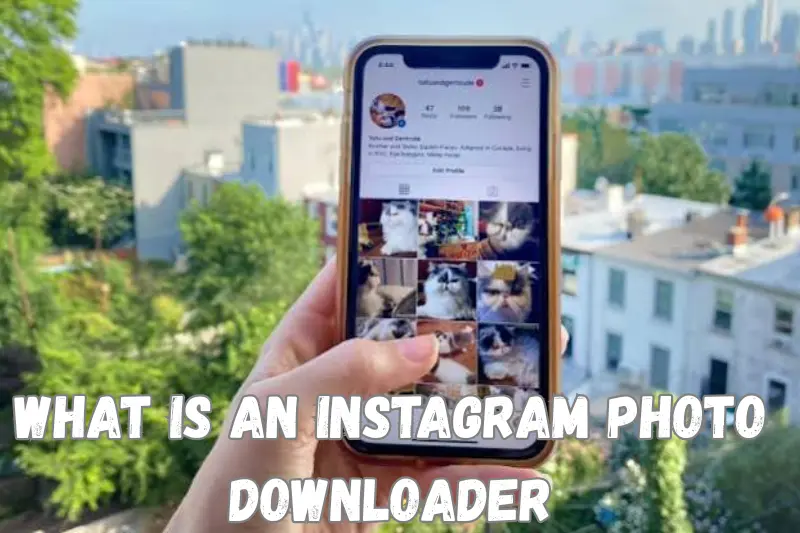
An Instagram photo downloader is a web tool, app, or browser extension that lets you save a photo from Instagram directly to your phone or computer. Instead of taking a screenshot, which crops your screen and loses quality, a proper Instagram photo downloader pulls the original image file from Instagram’s servers.
Most tools follow the same basic idea:
- You copy the link of the Instagram photo you want.
- You paste that link into the Instagram photo downloader.
- The tool fetches the public version of the image.
- You download the file to your device.
The same underlying idea extends across Instagram’s content types. Once you understand how a basic Instagram photo downloader works, an Instagram story downloader, an Instagram reels downloader, an Instagram video downloader, and an Instagram highlights downloader all follow the same logic: copy the link, paste it, download the file.
How Does an Instagram Photo Downloader Actually Work?
Here is the part most articles skip. An Instagram photo downloader does not “hack” Instagram. It reads the public page data that Instagram already sends to your browser when you view a post, then extracts the direct image link from it. That is the same data your browser uses to display the photo on screen; the downloader just makes it easy to save rather than only view.
This is why an Instagram photo downloader, or an Instagram story downloader, or any similar tool, can only work on content that is public, or on private content you already have permission to see. It cannot bypass Instagram’s privacy settings, and any tool claiming otherwise should raise a red flag.
Step-by-Step: How to Download an Instagram Photo
On a Phone (iPhone or Android)
- Open the Instagram app and find the photo you want.
- Tap the three dots in the top right corner and select Copy Link.
- Open your browser and go to an Instagram photo downloader website.
- Paste the link into the search box and tap Download.
- Press and hold the image, or tap the download button, to save it to your gallery.
On a Desktop or Laptop
- Open Instagram in your browser and click the three dots on the post.
- Choose Copy Link.
- Paste the link into an Instagram photo downloader tool.
- Click Download, then right-click the image and select Save Image As.
Using a Browser Extension
A browser extension adds a small download icon directly under each photo while you scroll through Instagram, so you do not need to copy and paste a link at all. This is convenient if you save photos often, but only install extensions from an official store and check recent reviews first, since extensions have deeper access to your browser than a website does.
Using a Mobile App
Dedicated apps work the same way as web tools but let you build a saved collection, download in the background, and organize files by account or hashtag. On Android, you may need to allow installs from outside the Play Store if the app is not listed there, which carries more risk, so stick to apps with verified publishers and a real support page.
How to Save an Instagram Carousel or Photo Album
Multi-photo posts (carousels) trip up a lot of basic tools, which only grab the first image. A good Instagram photo downloader will detect the whole carousel and let you either:
- Download all photos in the album as a batch, usually zipped into one file, or
- Preview each slide and pick individual photos to save.
If a tool only ever gives you the cover image from a carousel, try a different one. This single detail separates a genuinely useful Instagram photo downloader from a basic one.
Beyond Photos: Saving Stories, Reels, Videos, Highlights, and DPs
An Instagram photo downloader is often just the entry point. Once you understand the basic method, you can apply it to nearly every content type on the platform. Here is how each one works.
Instagram Story Downloader
Instagram stories disappear after 24 hours, which is exactly why an Instagram story downloader, sometimes called a story saver, is so useful. To use one:
- Open the story on Instagram and copy the profile link or use the tool’s username search.
- Paste it into the Instagram story downloader.
- Preview the available stories and tap download on the ones you want.
Some story saver tools also support anonymous viewing, so you can watch a story without the account owner knowing, and downloading it separately if you want to keep it. Just remember: a story saver still only works on public stories, or private ones from accounts you already follow.
Instagram Reels Downloader
An Instagram reels downloader, or reel saver, works almost identically to a video downloader. Copy the reel’s link, paste it into the reels downloader, and choose your preferred quality, usually HD or standard. Many reels downloader tools also strip Instagram’s watermark automatically, which is helpful if you are saving your own reel for reuse elsewhere.
Instagram Video Downloader
Whether it is a feed video, an IGTV upload, or a Reel, an Instagram video downloader follows the same three steps: copy link, paste, download. Look for a video downloader that lets you choose the file format (usually MP4) and resolution before saving, so you are not stuck with a compressed, low-quality copy.
Instagram Highlights Downloader
Highlights are the permanent collections a user pins to their profile. An Instagram highlights downloader, or highlights saver, lets you save these grouped stories in one pass instead of opening each one individually. Search the profile in the highlights downloader, select the highlight cover you want, and download the full set or individual clips inside it.
Instagram DP and Profile Picture Downloader
A profile picture downloader, often searched as an Instagram DP downloader, lets you save someone’s profile photo in its full size rather than the small circular thumbnail Instagram shows by default. To use one:
- Enter the username into the profile picture downloader or DP viewer.
- The tool displays the full-size version of the profile photo.
- Right-click or tap download to save it.
This works for public profiles only. A private profile’s DP is limited to what Instagram already shows to non-followers, and no legitimate downloader can reveal more than that.
Keeping the Original Photo Quality
Instagram compresses images for faster loading, and many downloader tools grab that compressed version rather than the original upload. A few things help you get the best possible quality, whether you are using a photo downloader, a video downloader, or a reels downloader:
- Look for a tool that specifically advertises “HD” or “original resolution” downloads.
- Compare the downloaded file’s pixel dimensions to what Instagram normally shows (Instagram typically caps images around 1080px wide, so anything noticeably smaller has lost quality).
- Avoid taking a screenshot as your backup method; it captures your screen resolution, not the photo file.
- If the photo belongs to you, downloading directly from Instagram’s own data export tool (Settings > Accounts Center > Your information and permissions > Download your information) gives you the true original file, untouched by any third-party compression.
Downloading From a Private Instagram Account: What Actually Works
This is the most searched, and most misunderstood, part of this topic. Here is the honest answer.
No tool, whether it calls itself a private Instagram downloader, a private story downloader, or a private account viewer, can pull content from an account you are not approved to follow. Instagram’s servers simply do not send that data to anyone outside the approved follower list, so there is nothing for a downloader to fetch.
What a legitimate private Instagram downloader actually offers is a way to save content from a private account you already follow, using your own logged-in session. The general process looks like this:
- Log into Instagram in your browser using your own account.
- Open the private post, story, reel, or highlight from an account you follow.
- Copy the link, or in some tools, copy the page source.
- Paste it into the private downloader tool and download as usual.
Be very cautious of any site that asks for your Instagram username and password directly instead of using this copy-link method. That is a common trick used to steal login credentials, not a real private account downloader.
Is It Legal to Use an Instagram Photo Downloader?
Using an Instagram photo downloader to save your own photos is always fine. Saving someone else’s photo, story, reel, or highlight for private, personal use is generally low risk but still technically against Instagram’s Terms of Use, which reserve copyright to the original poster.
What crosses the line:
- Reposting someone’s downloaded photo or video without credit or permission.
- Using downloaded content commercially, in an ad, product listing, or paid post.
- Downloading from a private account you are not approved to follow.
A simple rule covers most situations: if you would be uncomfortable telling the original poster you saved and reused their content, do not do it. When in doubt, message the creator and ask; most people are happy to say yes if you plan to give credit.
How to Spot a Safe Instagram Downloader
Not every Instagram photo downloader, story saver, or reels downloader is trustworthy. Some load pages with aggressive ads, fake “Download” buttons that lead to unrelated software, or browser notifications you did not ask for. Before you use one, check for:
- No login requirement for public content. A legitimate downloader never needs your Instagram password to save a public photo, video, or reel.
- HTTPS in the address bar. A padlock icon means your connection is encrypted.
- Clear, single download button. Multiple flashing “Download” buttons scattered around the page are a sign of ad-driven, low-quality sites.
- No forced app install. You should never need to install unrelated software to download one photo or story.
- Recent, real reviews. Check the Chrome Web Store or Play Store rating and read the last few reviews, not just the overall score.
Instagram Downloader Methods Compared
| Method | Best for | Setup time | Quality | Watch out for |
|---|---|---|---|---|
| Web-based photo/story/reels downloader | One-off downloads, no install | Under 1 minute | Good to high, varies by site | Ad-heavy pages |
| Browser extension | Frequent, repeat downloading | A few minutes | Good to high | Excess permissions |
| Mobile app | Building a saved photo or video library | A few minutes | Good to high | Unverified APKs on Android |
| Screenshot | Quick, no tool needed | Instant | Low, cropped | Loses resolution and quality |
| Instagram’s own data download | Your own account only | Set-and-wait | Original quality | Only works for your own content |
Common Problems and How to Fix Them
The link does not work. Make sure you copied the full post, story, or reel link, not a shortened profile link. Copy it again directly from the three-dot menu.
The download button does nothing. The account may have been set to private after you copied the link, or the post may have been deleted. Refresh and try a fresh link.
The photo or video downloads but looks blurry. You likely saved a preview thumbnail instead of the full file. Try a different downloader that supports HD or original-quality downloads.
Carousel only saves one photo. Switch to a tool built specifically to handle multi-photo Instagram posts, as noted above.
Highlights only show the cover image. A basic highlights downloader may only grab the cover icon. Use one built specifically as a highlights downloader, which opens the full set of clips inside.
Frequently Asked Questions
Can I download Instagram photos without an app? Yes. Most Instagram photo downloader tools work directly in your browser, so no app or extension install is required.
Do I need to log in to use an Instagram photo downloader? No, not for public photos, stories, reels, or videos. Any tool that asks for your Instagram password to download public content should not be trusted.
Can I download photos or stories from a private Instagram account? Only if you already follow that account and have permission from the owner. No legitimate Instagram downloader, story saver, or highlights downloader can bypass Instagram’s privacy settings.
Why does my downloaded photo look lower quality than the original? Instagram compresses photos when you upload them, and some downloader tools grab a further-compressed preview. Look for a tool that offers an HD or original-quality option.
Can I download an Instagram profile picture in full size? Yes, a dedicated profile picture downloader or DP viewer can show and save the full-size version of a public account’s profile photo.
Is it safe to use a free Instagram photo downloader? Many are safe, but check for HTTPS, avoid tools that request your password, and be cautious of pages covered in ads or forced app-install prompts.
Final Thoughts
A good Instagram photo downloader should do one job well: save the photo, story, reel, video, highlight, or profile picture you want, at full quality, without putting your device or your privacy at risk. Whether you use a web tool, a browser extension, or a mobile app, stick to the basics covered here: check for HTTPS, never share your password, confirm you have permission for content that is not yours, and always aim for the original resolution rather than a compressed copy.
Used the right way, an Instagram photo downloader is a simple, everyday tool, not a shortcut around anyone’s privacy.


